Skip to content

If you are planning to apply for a healthcare professional licence in Dubai, one of the first questions you are likely to have is whether your qualifications, experience, licence status, and professional background meet the DHA Professional Qualification Requirements.
The DHA Self-Assessment Tool by Felix Happich Consultancy is designed to help you answer that question before you begin the formal licensing process.
The tool is free to use, normally takes only a few minutes to complete, and does not require you to upload any documents. Instead, you answer a sequence of questions about your nationality, qualification, internship, licence and work history. The tool then measures those answers against the Unified Healthcare Professional Qualification Requirements (PQR, April 2025) for your selected profession.
Once the assessment is complete, you receive one of four possible outcomes: Eligible, Additional Requirements Needed, Manual Review Required, or Not Currently Eligible. Where relevant, the tool also explains the requirements or experience you are still missing and provides a recommended next step.
Find out if you qualify for a UAE healthcare license
Complete this free eligibility assessment and discover whether you meet the DHA Professional Qualification Requirements (PQR, April 2025) for the title you're applying for.
Your assessment is ready
Enter your details to view your assessment
Important Disclaimer
This self-assessment tool is provided for informational and educational purposes only. The results are based solely on the information entered by the user and are intended as a preliminary indication of potential eligibility.
This assessment is not affiliated with, endorsed by, or issued by DHA, DOH, MOHAP, or any other healthcare licensing authority. The results do not constitute an official eligibility decision, licensing approval, legal advice, regulatory advice, or professional advice.
Eligibility requirements may change without notice. Final eligibility, registration, examination requirements, and licensing decisions are determined solely by the relevant healthcare licensing authority based on a full review of supporting documents and applicable regulations.
By proceeding, you acknowledge and agree that the assessment results are non-binding and should not be relied upon as an official determination of eligibility.
What is the DHA Self-Assessment Tool?
The DHA self-assessment tool is an online eligibility checker that compares your personal and professional information against the criteria set out in the Unified Healthcare Professional Qualification Requirements (PQR). Based on this comparison, the tool returns a preliminary indication of whether you qualify for a DHA license.
It is important to understand that the tool is not affiliated with, endorsed by, or issued by DHA, DOH, MOHAP or any other licensing authority. It is not an official eligibility decision. It is a preliminary screening based only on the information you enter, while the authority makes the final decision after reviewing your documents in full.
Why should healthcare professionals use the Self-Assessment Tool?
Healthcare professionals should use the Self-Assessment Tool to verify their licensing eligibility against the Professional Qualification Requirements (PQR). This helps them save time and money before they start the complete licensing process. The four main reasons why professionals should use the self-assessment tool are:
- Prevent costly mistakes by confirming eligibility in advance
- Get instant eligibility results within minutes instead of weeks of processing
- Get quick insights into whether your qualifications meet the DHA PQR or not
- Simplify the registration process after having confirmation of being eligible
Who can use the DHA Self-Assessment Tool by Felix Happich Consultancy?
The tool supports healthcare professionals across the main professional categories regulated for healthcare practice in Dubai. These include:
- Physicians
- Dentists
- Nurses
- Midwives
- Pharmacists
- Traditional, Complementary & Integrative Medicine (TCIM) practitioners
The questions shown during the assessment change according to the profession you choose, which means you only answer questions relevant to your own licensing pathway.
Because eligibility requirements differ between healthcare professions, selecting the correct professional category is one of the most important parts of the assessment.
What information and documents are required for the self-assessment?
You do not need to upload any documents during the self-assessment, but your result is only as accurate as the information you enter. It therefore helps to have your professional details ready before you begin.
You should know your nationality status — whether you are a UAE National, Child of Emirati Woman, GCC National, or Non-UAE National — because nationality can affect the experience thresholds applied during the assessment.
You should also have the details of your qualification, including the country where you completed it, the awarding institution, and the month and year you completed your studies.
Depending on your profession, you may also need to provide your qualification level, internship information, additional professional qualifications, or other profession-specific details.
You should also know your current professional licence status — whether it is active, previously held but expired, or whether you currently have no professional licence.
Finally, prepare the details of every relevant professional role you want the tool to consider, including your job title, country of practice, facility, and start and end dates.
How do I complete the DHA self-assessment?
The DHA Self-Assessment is a step-by-step process. Once you select Start Assessment, the tool guides you through one question at a time and adjusts the questions according to your profession and the information you provide.
A progress bar shows how far you have moved through the assessment, while the back and forward arrows allow you to review or change previous answers. You can also use the Start over option if you want to restart the assessment. On mobile, the tool automatically moves to the next question after you make a selection.
The process follows the steps below.
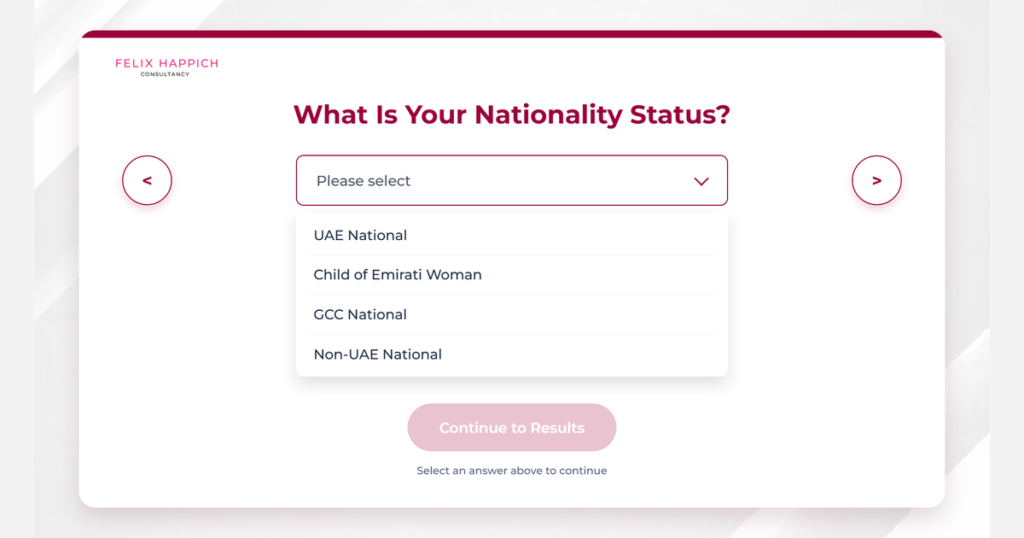
Step 1: Select your nationality status
The assessment begins by asking for your nationality status. You can choose from:
- UAE National
- Child of Emirati Woman
- GCC National
- Non-UAE National
Nationality status can affect the experience requirements applied during the assessment. Select the option that reflects your current status.
Step 2: Select your healthcare profession
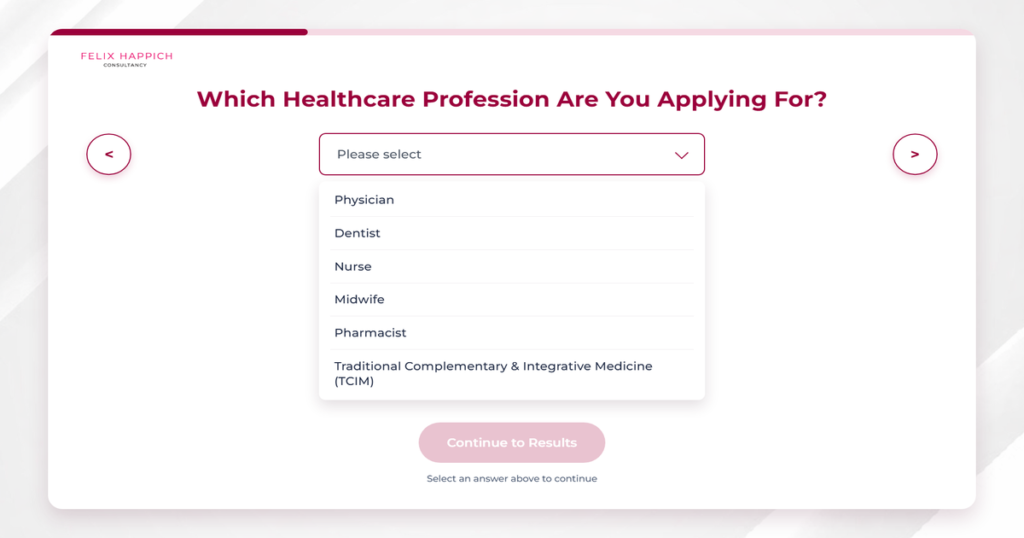
You are then asked which healthcare profession you are applying under. Select the main professional category that applies to you:
- Physician
- Dentist
- Nurse
- Midwife
- Pharmacist
- Traditional, Complementary & Integrative Medicine (TCIM)
Choose the profession under which you intend to apply for a healthcare licence in Dubai. Once you make your selection, the tool adapts the remaining questions to your professional category.
Step 3: Select your title
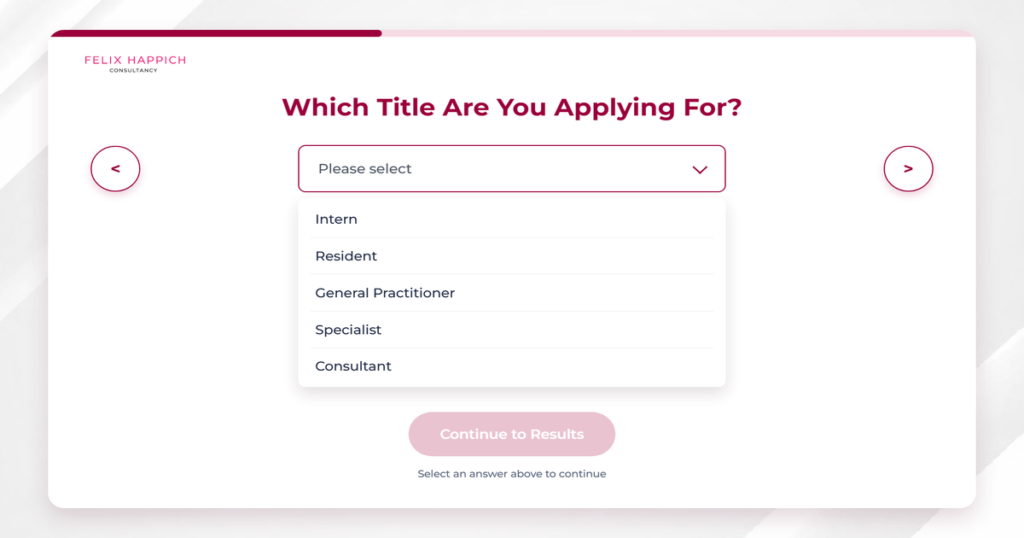
You are then asked which title you are applying for. Select the title that applies to you:
- Intern
- Resident
- General Practitioner
- Specialist
- Consultant
Step 4: Enter your qualification institution
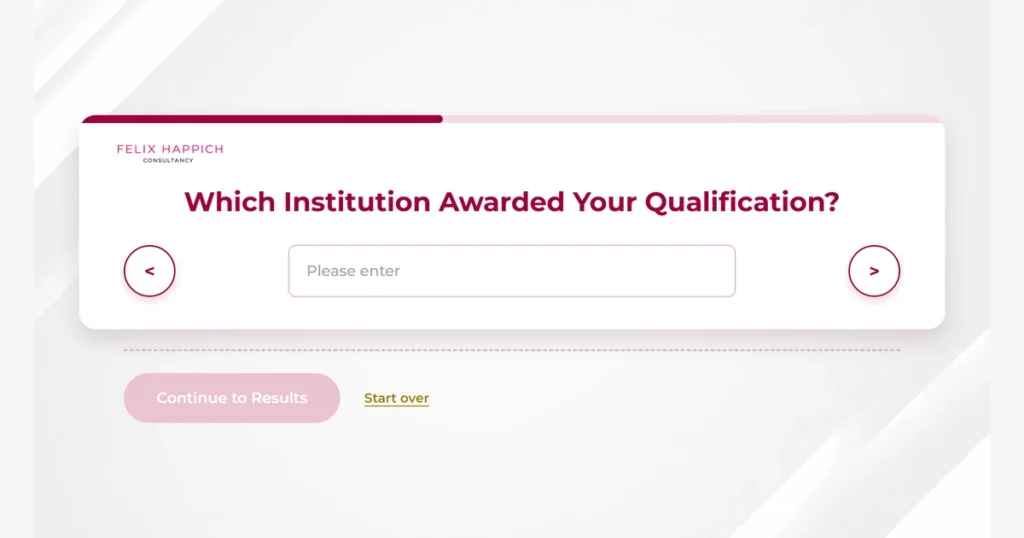
The next stage focuses on your educational background. You are asked for the country where you completed your qualification and the institution that awarded it. Enter the name of your university or college exactly as it appears on your qualification certificate.
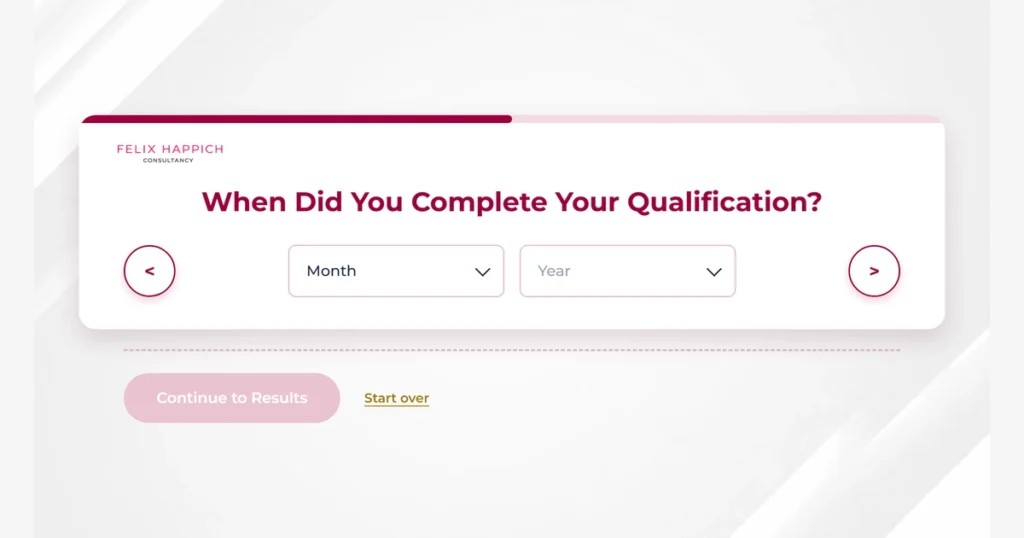
Step 5: Enter your qualification completion date
You are then asked for the month and year in which you completed your qualification. Depending on your profession, the tool also asks for your qualification level or other relevant educational information. Your qualification is one of the main factors used to assess your preliminary eligibility.
Step 6: Complete any profession-specific questions
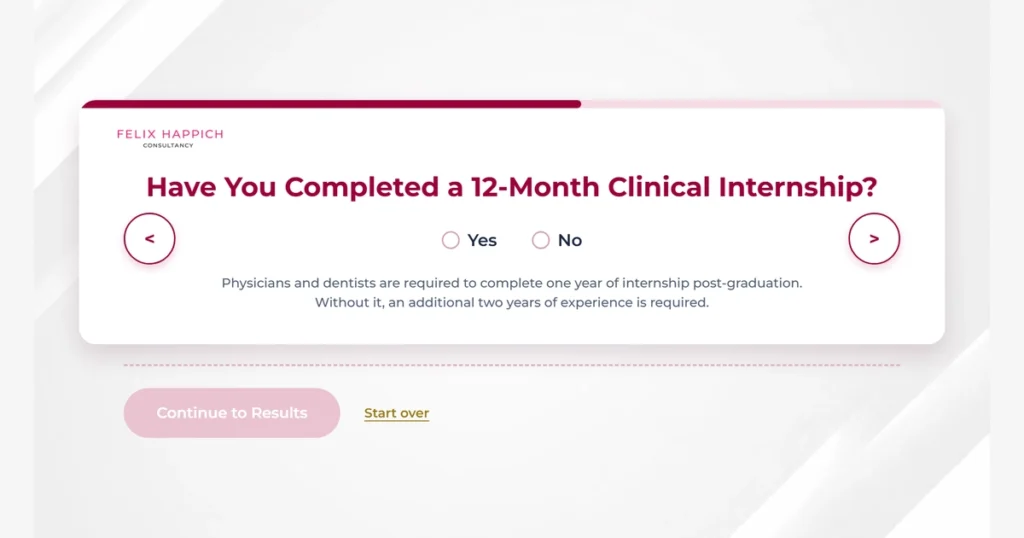
Different healthcare professions have different qualification, training and licensing requirements. The tool adjusts the questions automatically based on the profession you selected. Depending on your professional category, you are asked about:
- Internship or clinical training
- Additional professional qualifications
- Specialty education or certification
- Clinical or theoretical training
- Professional registration or licence
- Other profession-specific requirements
You do not need to work out which questions apply to you before starting. The assessment displays only the information relevant to your pathway. Answer each question using your actual professional and educational details.
Step 7: Provide your professional licence details
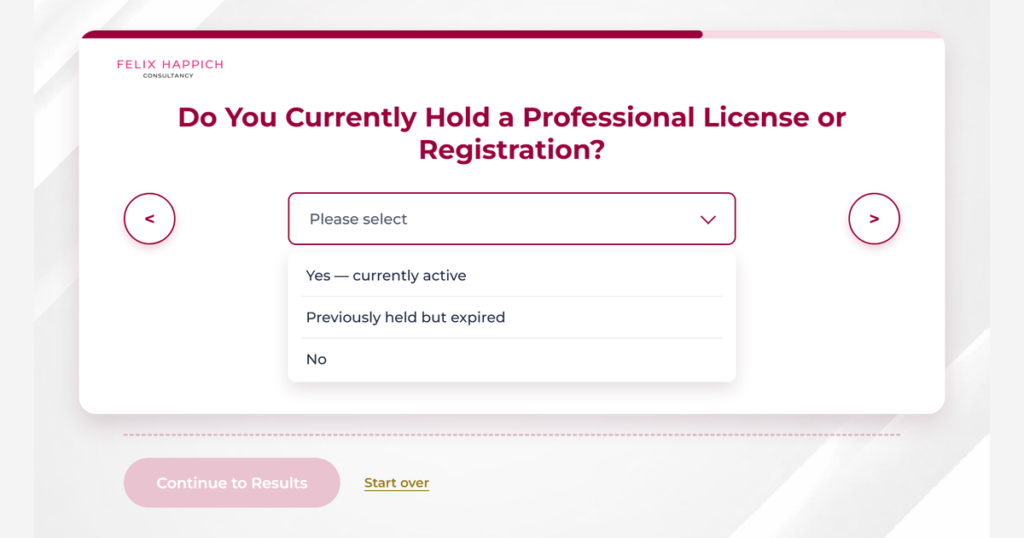
The assessment then asks about your current professional licence or registration status. You can select:
- Yes — currently active
- Previously held but expired
- No
Choose the option that reflects your actual situation. If your licence has expired, the result indicates that reactivation or re-registration is required. If you do not hold a professional licence, the tool records this as a missing requirement.
Step 8: Indicate whether you have professional experience
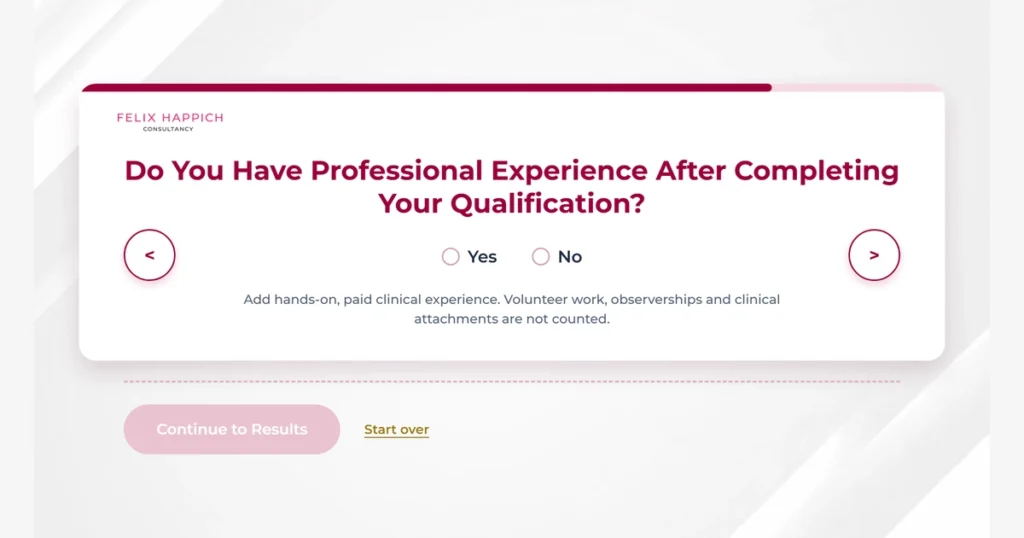
Next, you are asked whether you have professional experience after completing your qualification. Only hands-on, paid clinical experience should be entered. Volunteer work, observerships and clinical attachments should not be included as professional experience.
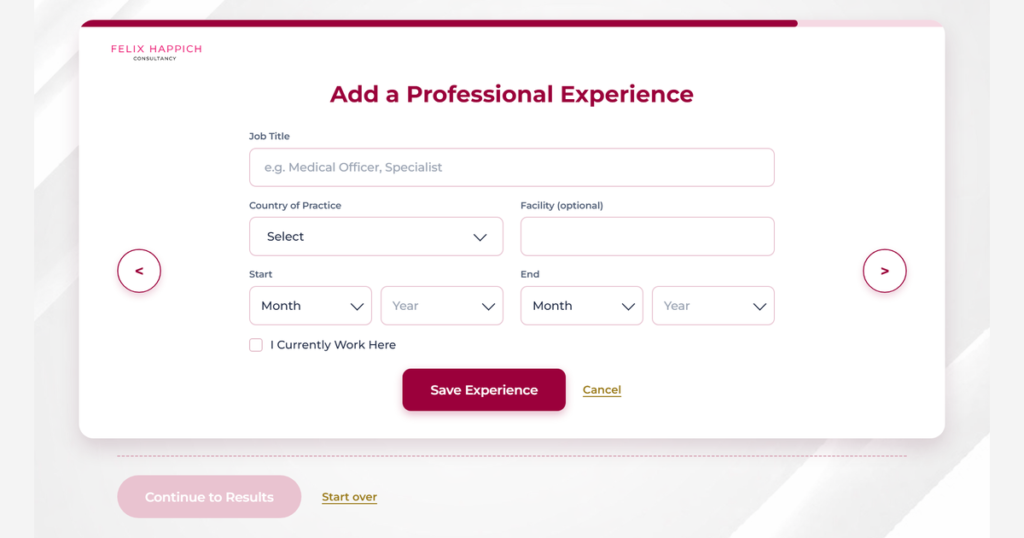
Step 9: Add your professional experience details
If you have relevant experience, add each professional role separately. For every position, enter:
- Job title
- Country of practice
- Facility (optional)
- Start month and year
- End month and year
If you are still working in your current role, select “I currently work here” rather than entering an estimated end date. You can add multiple positions if you have worked at more than one healthcare facility. The tool calculates your total experience using the employment periods you enter. Leaving out a position reduces the amount of experience counted in your assessment.
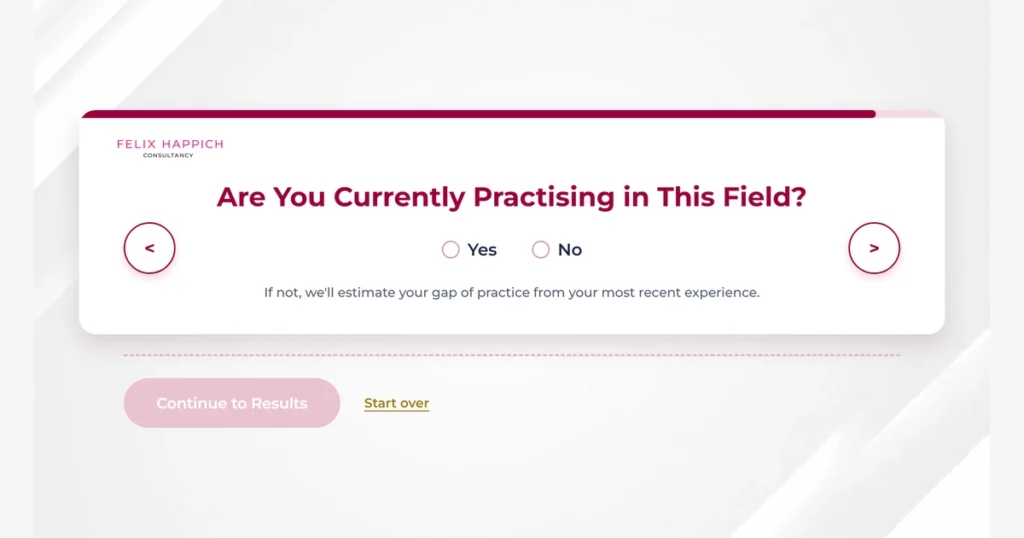
Step 10: Confirm your current practice status
The tool also asks whether you are currently practising in your healthcare field. If you answer No, the assessment uses your most recent professional experience to estimate your gap of practice. A gap in clinical practice can affect your licensing pathway. Depending on its length, additional CME/CPD credits, supervised training or other requirements apply. Your most recent role and current employment status are used to calculate this estimate.
Step 11: Review your details and continue to results
Once you have answered all required questions, the Continue to Results button becomes available. Before proceeding, review the information you entered and correct anything that does not accurately reflect your qualifications, licence status or professional experience. You are then asked to provide:
- First name
- Last name
- Email address
- WhatsApp number
You must also acknowledge the disclaimer before your assessment result can be released. After completing these details, select View My Results.
Step 12: Review your eligibility outcome
The result page gives you a summary of the professional information you entered and shows your preliminary eligibility status. The tool can return one of four outcomes:
- Eligible
- Additional Requirements Needed
- Manual Review Required
- Not Currently Eligible
The result also shows any requirements you are missing, experience you still need, or other considerations that affect your DHA licensing pathway. The self-assessment result is based on the information you provide.
What does it mean if I am eligible?
If the tool indicates that you are eligible, it means that the information you entered appears to meet the DHA Professional Qualification Requirements (PQR) for your selected professional category and title. However, your final eligibility is determined after the official DHA application, document verification, and any required assessments.
What does it mean “you are not eligible”?
It means the details you entered do not appear to meet the DHA Professional Qualification Requirements (PQR) for your selected category or professional title. This result is only a preliminary assessment and does not represent a final DHA decision. You may review your information for accuracy or get help from DHA officials.
Can I still apply if the tool shows that I am not eligible?
Yes. You can submit an official application to get a DHA professional license. The self-assessment tool provides only a preliminary eligibility indication based on the information you enter. The Dubai Health Authority (DHA) makes the final decision after reviewing your application.
Does the self-assessment explain why I am not eligible?
Yes. The DHA Self-Assessment Tool provides the reasons why you are not eligible. The explanation helps you understand which qualification, experience, internship, licensing, or other eligibility requirement does not align with the DHA Professional Qualification Requirements (PQR).
How long does the self-assessment take to complete?
The Self-Assessment Tool typically takes 5 to 10 minutes to complete. The time required depends on how quickly you enter your personal and professional information. Once you submit the required details, the tool provides the eligibility result within seconds.
What is the cost of self-assessment?
The DHA Self-Assessment Tool is completely free to use. There are no charges to check your eligibility on our assessment tool.
What happens if I enter incorrect information?
If you enter incorrect or incomplete information, the tool is designed not to show results until you add the required information, or it may provide inaccurate results. We recommend reviewing all your details carefully before submitting the assessment to ensure you receive the most accurate preliminary result.
Is the self-assessment result final or subject to manual review?
The self-assessment result is not final. It is intended to give you an initial eligibility indication based on the information you provide. The final decision on whether you should be licensed is made by the Dubai Health Authority (DHA) after reviewing your application, personal and professional details, and any required assessments.
How to get the most accurate assessment result
The accuracy of your result depends on the information you enter, so small errors can affect the outcome. Always select the professional category that accurately reflects your healthcare profession.
Enter the exact start and end months for every professional position, because the tool calculates your experience using the dates you provide. Those same employment dates may later be verified against your employers through DataFlow.
Do not include volunteer work, observerships or clinical attachments as professional experience. When entering your qualification, select the country where the qualification was awarded rather than the country where you currently work.
For your current professional position, tick “I currently work here” rather than entering an estimated end date. This can also help prevent the system from identifying a false gap of practice. If your professional licence has expired, select “Previously held but expired” instead of “Yes, currently active”.
You can also re-run the assessment whenever necessary. The tool is free, and the Edit my answers option allows you to change an answer and see how that change affects your result.
Frequently Asked Questions
Is the DHA Self-Assessment Tool free?
Yes. The Felix Happich Consultancy self-assessment is free to use. Any official DHA fees are separate, are set by the authority, and are paid to the authority.
How long does the assessment take?
Most people finish quickly if their qualification, professional experience, and licence details are already to hand. Gathering exact dates is what takes the time, not the tool.
Do I need a DHA account to use the tool?
No. The self-assessment is independent of the Sheryan portal. A DHA account is needed for the official application, not for this preliminary check.
Do I need to upload documents?
No documents are uploaded during the self-assessment. Documents are required later during the official licensing process.
Why does my exact institution name matter?
Your qualification is later verified against the awarding institution through Primary Source Verification. Entering the institution name as it appears on your certificate helps keep your self-assessment consistent with the documents you will eventually submit.
Do I need professional experience?
It depends on the requirements that apply to your healthcare profession and individual circumstances. Enter the experience you have and allow the tool to apply the relevant threshold.
Can I add experience from more than one healthcare facility?
Yes. Professional roles are added one at a time and accumulate into a list. Add every relevant role because the tool totals the durations when calculating your professional experience.
What counts as professional experience?
Hands-on, paid clinical experience counts. Volunteer work, observerships and clinical attachments are excluded.
Do I need an active professional licence?
An active professional licence or registration strengthens your position. An expired licence can indicate that reactivation or re-registration may be required, while having no licence is recorded as a missing requirement where applicable.
Does an Eligible result guarantee a DHA licence?
No. It indicates that the information you entered appears to meet the applicable requirements. Your licence still depends on the official application, verification, any required examination, and the authority’s final decision.
Is my self-assessment result final?
No. The result is preliminary and non-binding.
Can I change my answers and reassess?
Yes. Use Edit my answers to change any information and see the updated result. You can repeat the assessment as many times as necessary.
Why does my result say Manual Review Required?
Some qualifications, certificates, or individual circumstances cannot be assessed automatically and therefore require a human decision. It is not automatically a rejection.
Do I need DataFlow after the self-assessment?
Primary Source Verification through DataFlow, together with a valid Good Standing Certificate, is required at the official stage.
Do I need to sit a DHA licensing examination?
Non-UAE applicants require a licensing examination unless they qualify for Exam Equivalency.
How do I start the official DHA licensing process?
Register on the DHA Sheryan portal and build your professional profile. If your self-assessment identified missing requirements or indicated that manual review is required, you can also speak with a licensing advisor before beginning the formal process.